
Why Tools Matter More Than Ever In eLearning Careers
eLearning career paths are now shifting toward skills-based hiring, where what you can demonstrate often matters more than the degrees you've earned. Companies are looking for professionals who can jump right into real projects and use modern tech to create meaningful learning experiences. First and foremost, employers expect tool familiarity, not just theory. Knowing Instructional Design models is important, but pairing that with fluency in authoring tools and LMS platforms sets you apart. The bottom line is that gaining experience with the top eLearning tools to learn boosts employability by shortening the onboarding curve. When you already know the platforms a company uses, you spend less time training and more time delivering value from day one. This translates to higher confidence on the job, stronger portfolios, and a clearer signal to recruiters that you're ready to contribute.
In 2026, the bar for eLearning careers keeps getting higher. It's not just about what you know, but what you can do. This guide highlights the top eLearning tools you should learn to get hired and why they matter to employers so that you can invest your career prep time wisely.
Key Takeaways
- Employers expect hands-on experience with core eLearning tools.
- Learning management systems and instructional design tools remain essential.
- AI-powered and analytics tools are increasingly in demand.
- Learning tools strategically improve job readiness and career flexibility.
How Employers Evaluate Tool Skills In eLearning Jobs
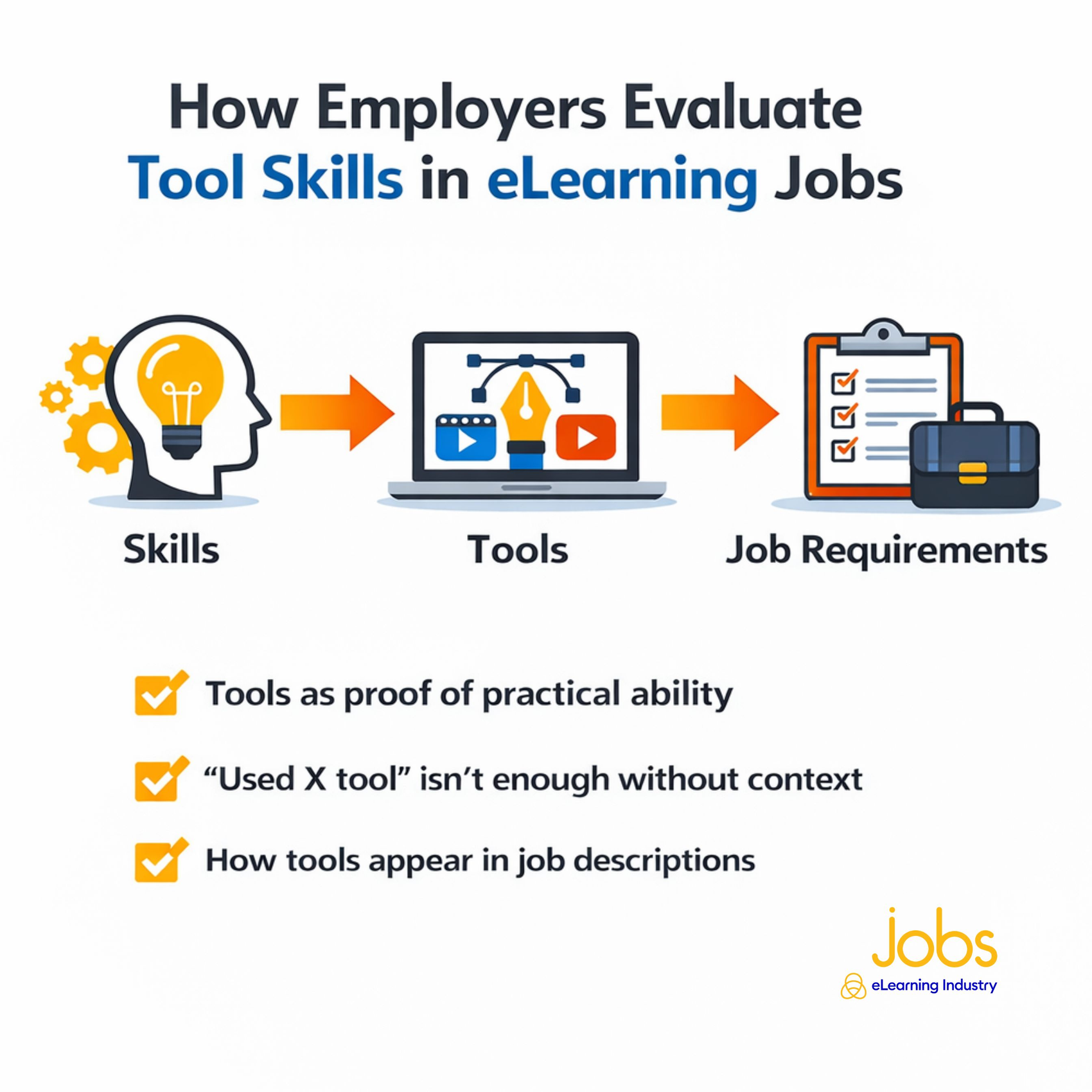
One of the critical things that eLearning recruiters scan for in your CV is proof of practical ability. Employers use tool proficiency as evidence that a candidate can design, build, and deliver real learning solutions. Knowing an instructional theory is important, but demonstrating that you can execute it inside an authoring tool or LMS shows you can translate ideas into business outcomes.
However, simply stating "used X tool" on an eLearning CV isn't enough. Hiring managers want context. Did you build branching scenarios or task simulations in a specific authoring tool? Configure reporting dashboards in an LMS? They need to understand how you applied the tool to solve a problem, improve learner engagement, or meet business goals. You should also clearly outline what you created, the complexity involved, and the results achieved.
Also, Instructional Design tools often appear in job descriptions. Many postings list required or preferred platforms, such as authoring software, LMS platforms, video editing tools, or collaboration tools, because hiring managers need someone who can get up to speed quickly. These tools function as filters during the hiring process. Demonstrating hands-on experience, supported by portfolio samples, makes your application stronger.
Core eLearning Tools Employers Expect You To Know
Today's recruiting managers usually focus on two key categories of eLearning tools to learn. So, let's look at Learning Management Systems (LMSs) and authoring tools, including the roles they support and the purposes they serve.
Learning Management Systems (LMSs)
A Learning Management System serves as the backbone of most corporate and academic training programs. These platforms are used to host courses, enroll learners, track completion, generate reports, and manage compliance training. In corporate settings, LMS tools often integrate with HR systems to monitor certifications and performance metrics.
LMS fluency is essential because learning doesn't end once a course is created. Employers need people who understand how to upload SCORM or xAPI packages, configure learning paths, manage user roles, and interpret analytics dashboards. If you don't have the necessary LMS skills, you may be able to develop engaging learning experiences, but not deliver or track them.
Roles that commonly require LMS expertise include LMS Administrator, eLearning Developer, Training Coordinator, Learning Experience Designer, and Corporate Trainer. Even many Instructional Designers are now expected to understand how content performs inside an LMS ecosystem.
Instructional Design & Authoring Tools
Authoring tools are where digital learning experiences are built from the ground up. The right eLearning software for jobs gives L&D pros the opportunity to create interactive modules, simulations, quizzes, branching scenarios, and multimedia lessons.
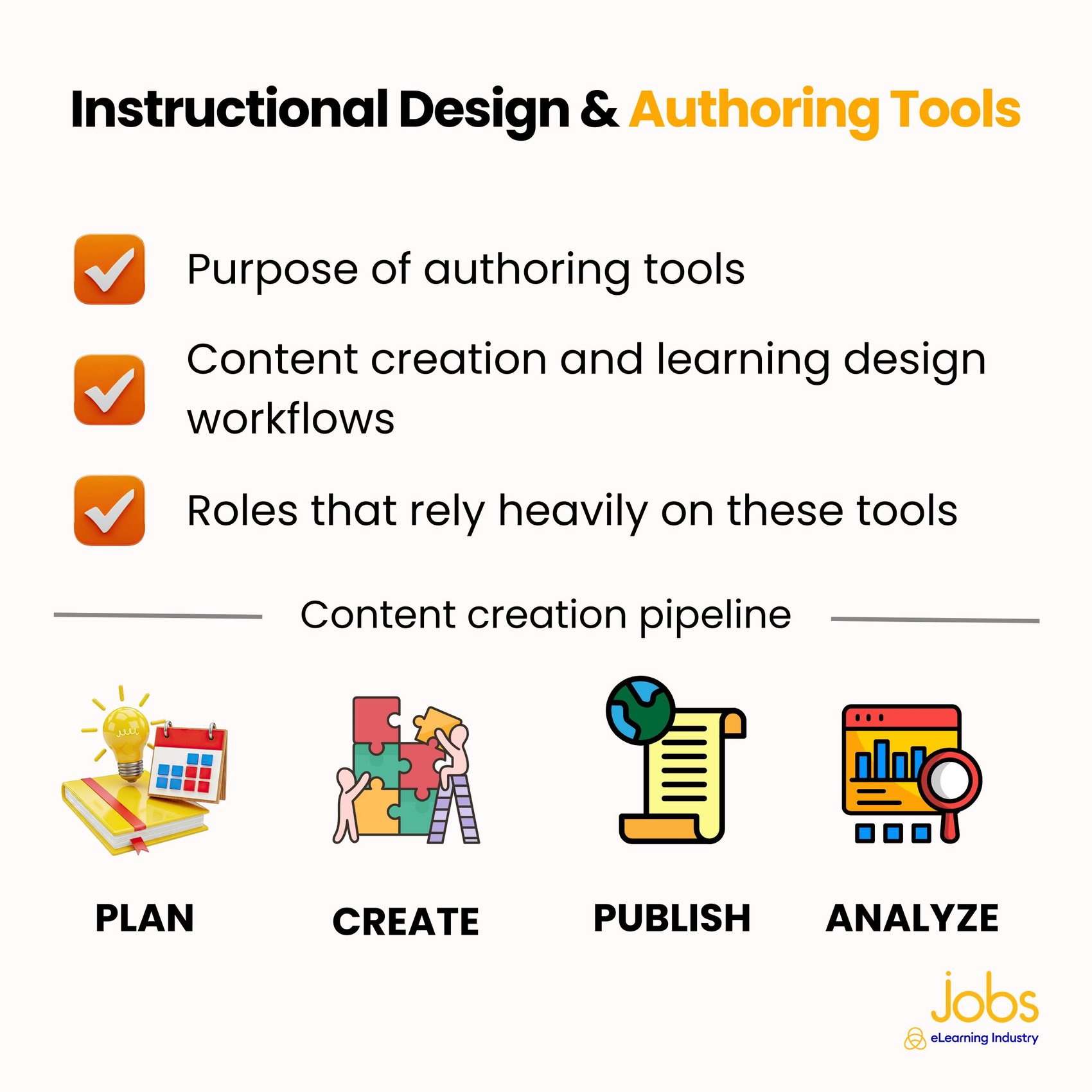
The purpose of these tools needed for eLearning careers is to transform learning objectives into structured, interactive content. They support the full content creation workflow, from storyboarding and visual design to development, testing, and publishing. Having strong tool proficiency allows you to implement instructional strategies and put all of that ID model knowledge to good use, whether building scenario-based learning, microlearning modules, or compliance training.
Roles that rely heavily on authoring tools include Instructional Designer, eLearning Developer, Learning Experience Designer, and Multimedia Specialist. In many organizations, these people are expected to move between learning strategy and technical execution in their day-to-day jobs.
Ultimately, employers look for candidates who understand both sides of the equation. So, you need to be able to build meaningful learning experiences and know how to deliver and measure them.
Specialized eLearning Tools That Boost Hireability
Beyond core LMS and authoring platforms, specialized tools can significantly boost your value in the eLearning job market. As organizations demand more engaging, personalized, and measurable learning experiences, showing that you understand advanced tools helps you stand out.
Learning Experience & UX Tools
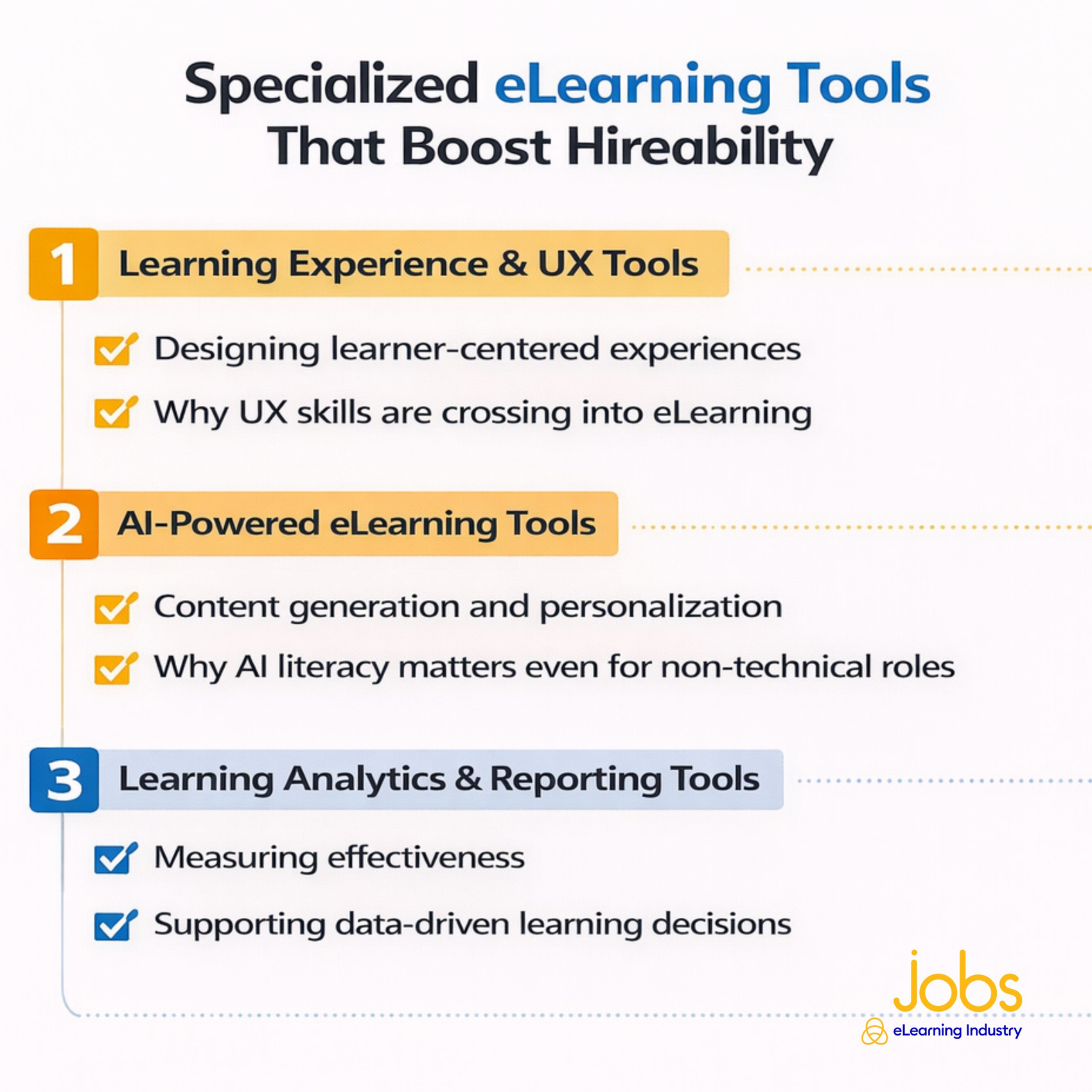
Modern eLearning is no longer just about delivering content, but designing learner-centered experiences that resonate with your audience. Learning Experience (LX) tools are used to prototype course layouts, map learner journeys, and collaborate on design workflows.
User Experience (UX) platforms are also essential eLearning tools because learners now expect intuitive, seamless digital environments that are similar to the apps they use daily. Poor navigation, cluttered interfaces, or confusing interactions have a direct impact on engagement and completion rates. Employers value candidates who can wireframe learning experiences, test usability, and design with accessibility at the forefront.
AI-Powered eLearning Tools
Artificial Intelligence is reshaping how learning content is developed and delivered. Platforms like ChatGPT and Synthesia can help with content generation, script writing, voiceovers, video creation, and even scenario development. AI (along with human insights and expertise) can also personalize learning pathways by adapting content based on performance data.
AI literacy matters even if you're applying for non-technical roles because it improves productivity and strategic decision-making. For example, Instructional Designers can use AI to draft outlines or generate quiz questions that test learner comprehension. Trainers can personalize follow-up resources to reinforce and improve retention. Learning leaders are able to use AI to evaluate AI-powered analytics tools for performance data. The must-have eLearning skills that tie into these platforms are prompt engineering, output review, and critical thinking.
Learning Analytics & Reporting Tools
Recruiters are looking for candidates who can link learning initiatives to measurable impact. Analytics platforms, including LMS-based reporting dashboards, help eLearning pros track engagement, completion rates, assessment scores, and performance improvements.
These tools also support data-driven decisions because you no longer have to guess what works. Teams can quickly spot trends, measure ROI, and refine content based on actual metrics and patterns. Candidates who can interpret dashboards, create visual reports, and connect learning metrics to business outcomes are more valued by prospective employers.
Which eLearning Tools To Learn Based On Your Career Goal
Choosing the top eLearning tools 2026 that employers look for greatly depends on the career path you want to venture down. While foundational knowledge is important across the board, the tools you prioritize should align with your day-to-day responsibilities and long-term goals. Here's an overview of eLearning tools to learn based on your professional pursuits.
Tools For Aspiring Instructional Designers
If you want to land an Instructional Designer job, your priority should be authoring tools and content structuring platforms. These eLearning software options allow you to build interactive modules, assessments, and scenario-based learning experiences. These tools allow you to transform instructional strategies into tangible learning products.
You should also understand how content integrates with an LMS. Even if you are not managing the system, knowing how to publish SCORM or xAPI packages helps ensure your content serves its purpose after development. Tool mastery shows recruiters that you can connect theory with execution.
Tools For L&D And Learning Specialists
L&D professionals often focus on program coordination, performance improvement, and reporting. That's where operational tools come into play. You have to know your way around LMS platforms to manage enrollments, certifications, and compliance training.
Reporting and analytics tools also play a part so that you can translate learning data into actionable insights. L&D specialists are often expected to measure training effectiveness, track engagement, and then present their findings to leadership. Operational efficiency and data literacy are key eLearning skills that set strong candidates apart.
Tools For eLearning Developers And LX Designers
eLearning Developers and Learning Experience Designers usually need more in-depth technical skills. Advanced authoring tools should be part of your tech stack, but you may also work with multimedia and design platforms for video production and prototyping.
eLearning Developers may also benefit from basic web technologies, such as HTML and CSS, to customize learning experiences that go beyond default templates. Likewise, LX Designers must understand how to mesh instructional strategy with UX thinking to ensure courses are intuitive, accessible, and visually engaging.
How To Learn eLearning Tools Without Job Experience
Breaking into the eLearning industry without formal job experience can be daunting. However, many top Instructional Design tools to learn offer free trials and demos, which are perfect for hands-on practice. Some platforms even provide limited-time access that gives you the chance to explore features, build sample modules, understand real workflows, or test out the tool in sandbox environments.
An insider tip is to create practice projects rather than just watching tutorials. Design a short compliance course, build a branching scenario, or produce a microlearning video. Treat these as real assignments with learning objectives, assessments, and visual consistency. Over time, these projects become portfolio pieces that demonstrate how well you applied your Learning Management System skills and knowledge. Employers value this far more than certificates alone.
When showcasing tool experience on your CV, always be specific. Instead of writing "familiar with Storyline," describe what you built: interactive simulations, qualitative assessments, or responsive modules. Include links to your portfolio when possible, as this gives hiring managers clear examples of what you created and proves your capability. It also demonstrates to them that you're ready and willing to take the initiative.
Common Mistakes When Learning eLearning Tools
One of the most common mistakes eLearning professionals make is trying to learn too many tools at once. With so many new systems coming onto the L&D scene, it's tempting to sample everything. However, spreading your attention too thin often leads to limited knowledge and familiarity instead of real competence. Keep in mind that employers value depth over quantity. Mastering one or two core tools is far more effective than just brushing the tech surface with five.
Another mistake is ignoring instructional fundamentals. Just like any software, eLearning tools are only as powerful as the strategy and methodologies behind them. Without understanding learning objectives, assessment design, learner engagement, and accessibility principles, even carefully crafted courses can fall short. Strong instructional thinking ensures that technology supports the learning process rather than becoming a distraction.
Last but not least, many learners focus on tools without thinking about the outcomes. Building flashy interactions or complex animations that have all the bells and whistles may look impressive, but employers really care about results. Did the course improve performance? Increase completion rates? Solve a real business problem? Tools are merely vehicles for impact, not the final goal.
How To Turn Tool Knowledge Into Job Opportunities
Knowing the ins and outs of eLearning tools is valuable. However, turning that knowledge into job opportunities requires a solid strategy. The first step is matching your tools to specific job requirements. Review L&D job postings for roles such as Instructional Designer, eLearning Developer, or LMS Administrator, and note which platforms are mentioned. If a company uses a particular platform, tailor your application to emphasize your direct experience with that software and your level of experience.
Next, clearly highlight tools in your eLearning CV and professional profiles. Don't just list software names. You need to explain how you used them and why. For example, mention building branching scenarios, configuring learning paths, or generating analytics reports.
Finally, stay current as Instructional Design tools evolve. Frequent updates and AI integrations are par for the course with eLearning tech. Make a point of reading up on new features, attending webinars, or checking out tutorials. Employers want candidates who adapt to change and continuously improve. When you combine targeted applications, clear evidence of skill, and ongoing learning, your tool proficiency can translate into meaningful job opportunities.
See job listings that suit your talents and level of tech expertise!